Welcome to the NoHo Library
Welcome to the North Hollywood High School Library
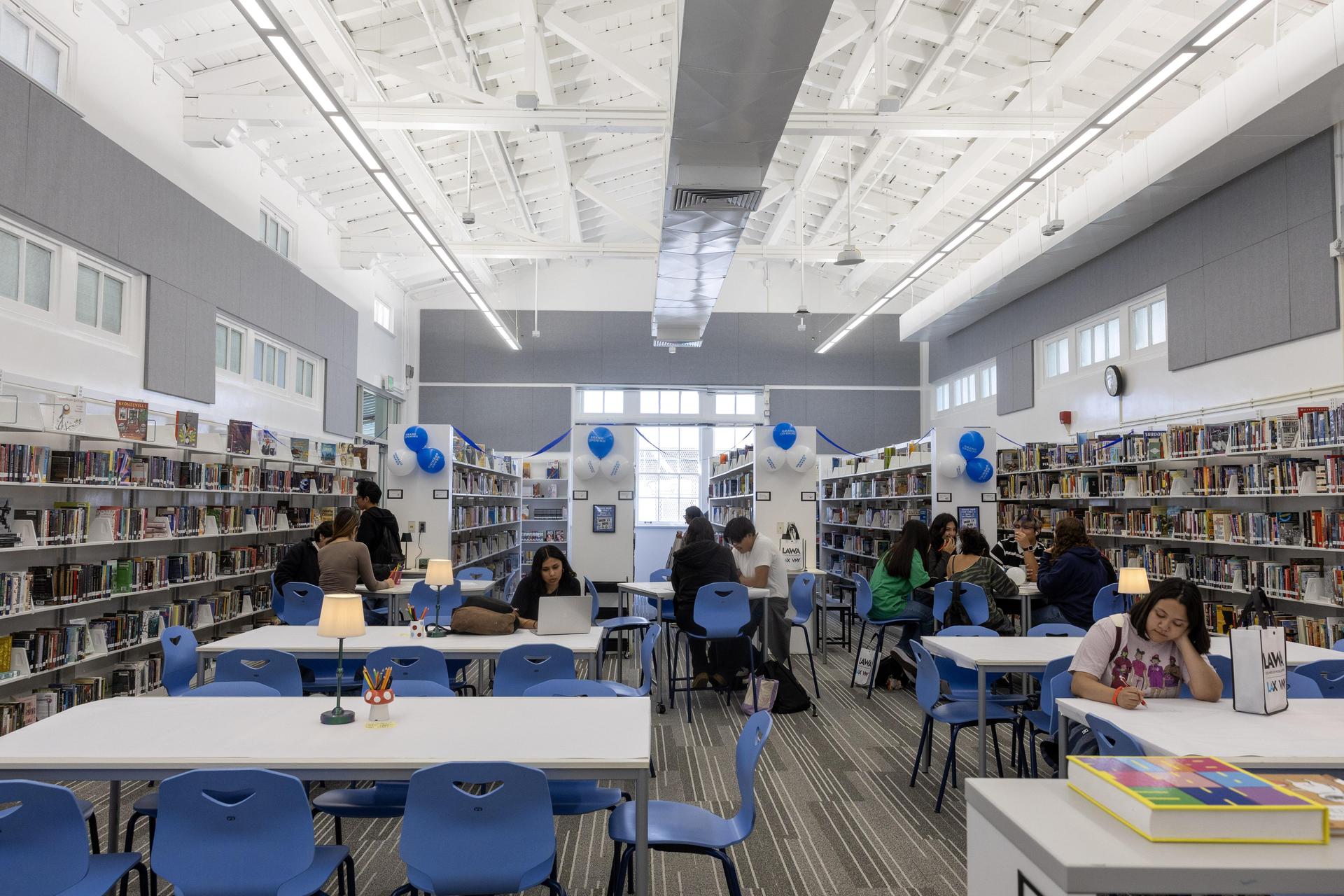
The NoHo Library is open and ready to support students, families and teachers. Our library is a place for students to read, study, research, create and collaborate. Here, students are encouraged to grow by connecting with their Husky community, reading great books, finding reliable information and utilizing cutting-edge technology.
Students can visit the library before school, during nutrition, during lunch and after school for reading, studying, book checkout, printing support, research help and access to online resources. Teachers may also bring classes to the library for research lessons, book exploration, digital literacy instruction, reading support, creative projects and more.
For questions, please contact:
Ms. Bee Hill, Teacher Librarian
Email: [email protected]
Library Extension: 7405
Office Extension: 7497
Instagram: @nohuskylibrary
Library Hours
Monday, Wednesday, Thursday and Friday
Before School: Open Exploration
8:00–8:30 AM
Nutrition: Open Exploration
10:40–11:00 AM
Lunch: Open Exploration
1:05–1:35 PM
After School: Quiet Study
3:40–4:30 PM
During Open Exploration, students may check out books, browse the shelves, read, study, relax or visit with friends.
During Quiet Study, students are expected to work quietly and independently.
To visit during class time, students must have a signed library pass from their teacher.
Library Expectations
To help keep the library welcoming, safe and focused for everyone, students are expected to follow these guidelines:
School ID required
Students must show their school ID to enter the library when they are not with a teacher.
No food
Please finish food before entering the library.
Phone-free zone
The library is a space for reading, studying, working, creating and connecting without phone distractions.
Respect the space and others
Use quiet voices when needed, clean up after yourself, return materials and treat books, furniture and technology with care.
Checking Out Books
Students may check out up to three books at a time.
Books are checked out for two weeks.
Students may renew books for an additional two weeks by visiting the library.
There are no late fees, but students are responsible for books that are lost or damaged. Lost or damaged book fees may be paid in the library with cash. Students with unpaid lost or damaged book fees will need to resolve those before checking out additional books.
During rainy weather, students are encouraged to keep library books protected with a plastic bag (ziplock or grocery bag) in their backpack. Water damaged books will require replacement.
Search the NHHS Library Collection Catalog
Students can search the North Hollywood High School library collection online through Destiny, our school library catalog.
Destiny allows students to:
-
Search for books available in the NHHS Library
-
Browse by title, author, subject or keyword
-
Check whether a book is currently available
-
Explore books before visiting the library
-
Find call numbers so they can locate books on the shelves
Students can access Destiny through Schoology by logging in, clicking the waffle in the top-right navigation bar and then selecting “Destiny Library.”
Or browse the NHHS Library Catalog here
Printing
Students may request printing through the library printing form.
Printing requests are usually completed within 24 hours.
Each student has a semester printing allowance:
Black and white: up to 10 pages
Color: up to 5 pages
Total: no more than 15 printed pages per semester
Once students reach their semester allowance, they will not be able to request additional prints through the library.
Ebooks and Audiobooks with Sora
Students can access ebooks and audiobooks through Sora, LAUSD’s digital reading platform.
Sora is a great option for students who want to read on a Chromebook, phone, tablet or other device. Students can explore ebooks and audiobooks for independent reading, class reading and reading challenges.
Students who need help logging into Sora can visit the library or ask Ms. Hill for help.
Absolutely — here’s a more parent-facing, attention-grabbing version that makes the Student Success Card feel like the major resource it is.
A Free Public Library Card for Every Husky: LAPL Student Success Card
One of the most valuable resources available to NHHS students is the Los Angeles Public Library Student Success Card.
Every LAUSD student is automatically assigned a Student Success Card, which gives them free access to Los Angeles Public Library resources without needing to apply for a traditional library card. Through LAPL, students can access live online tutoring, homework support, research databases, ebooks, audiobooks, newspapers, magazines, college and career resources and more.
This is an incredible academic tool for students and families.
Students can use their Student Success Card to access:
-
Free live online tutoring through Tutor.com
-
Homework help and reliable school assignment resources
-
Ebooks and audiobooks
-
Research databases and encyclopedias
-
Newspapers, magazines, music, movies and digital media
-
College and career preparation resources
-
Support from Los Angeles Public Library staff
To find Student Success Card information in Schoology:
-
Log into Schoology.
-
Click the student profile in the upper right corner.
-
Select Student Success Card from the left menu.
-
The card number and PIN will appear in the blue box.
If the card number or PIN does not work, students may need to request a PIN reset.
Student Success Card PIN Reset Form
Free Online Homework Help through LAPL
Students can get free online homework help through the Los Angeles Public Library and Tutor.com.
With their LAPL Student Success Card, students can connect with a live tutor for help with math, science, English, social studies, writing, AP-level classwork and introductory college coursework. Tutoring is available every day from 11:00 AM to 11:00 PM in English or Spanish.
LAPL Homework Help / Tutor.com
Research, News and Databases
Students can access reliable research tools, databases and news websites through LAUSD and the Los Angeles Public Library.
These resources can help students with:
-
Research projects
-
Current events
-
News articles
-
Academic databases
-
Primary and secondary sources
-
College and career research
-
Citation support
Students who need help finding reliable sources, using databases or starting research can visit the library for support.
LAPL Research Databases
LAPL News Resources
Book Recommendations
Need help finding your next book?
Students can request personalized book recommendations from the librarian. Fill out the recommendation form and Ms. Hill will suggest books based on your interests, favorite genres and reading preferences.
Personalized Book Recommendation Form
Students can also stop by the library for in-person recommendations anytime the library is open.
Free Bookmarks
Want a free bookmark?
Follow the library on Instagram at @nohuskylibrary and show Ms. Hill in the library.
Questions?
Visit the library or email Ms. Hill at [email protected].